Safe scanning
Not every network can take a scan. Give each network a role, and S.O.U.R.C.E. scans it the way that role allows: thoroughly where it is safe, passively where equipment might not survive a probe.
Bring a plant network into the inventory
Inventory a network of controllers without sending them anything they could trip over.
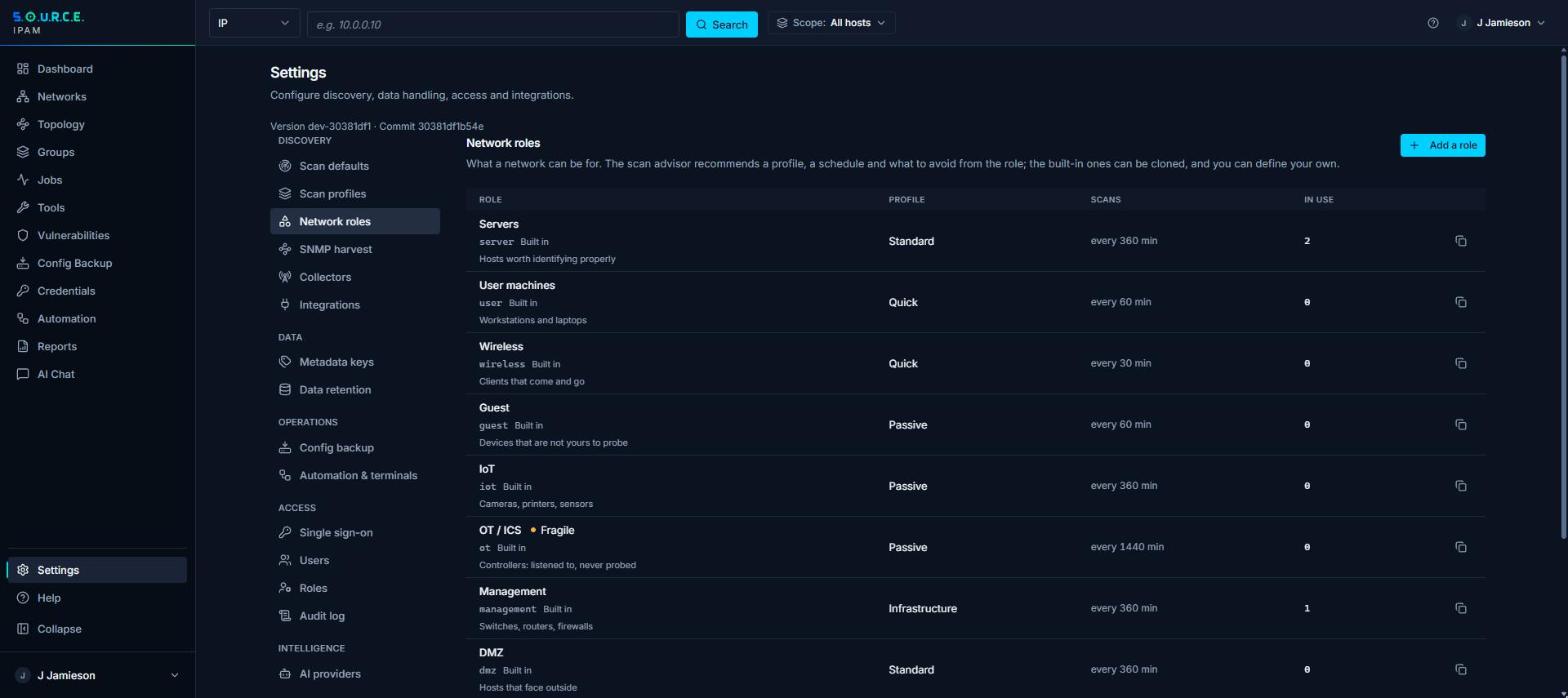
- Mark itGive the plant subnet the OT role, or a role of your own marked fragile.
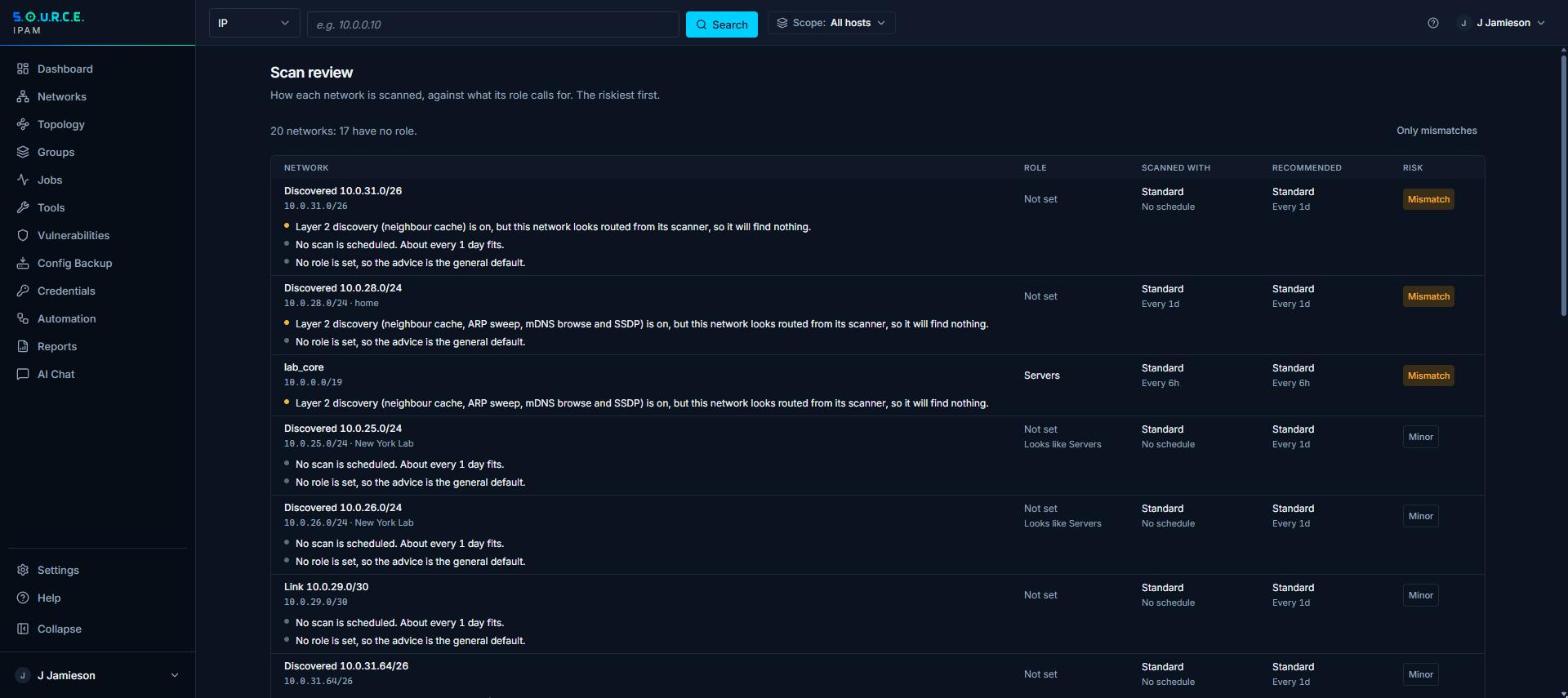
- Follow the adviceThe advisor recommends a passive or connect-only profile and a schedule, and flags anything louder that is switched on.
- Identify, carefullyTurn on OT protocol identification only if you choose to. It is off by default and asks each device one read-only identity question at a time.
What you can do
Network roles
Built-in roles for server, user, wireless, guest, IoT, OT, management, DMZ, lab, transit and VPN networks, and roles of your own with their own profile and schedule.
Fragile means fragile
A network marked fragile can run only the Passive and OT-Safe profiles. Switching on a loud probe there is refused, not just warned about.
A scan advisor
For every network, see the recommended profile and schedule for its role and how far the current settings are from it, then apply the advice in one step.
Role suggestions
When discovery finds controllers on a network, or mostly cameras and printers, or mostly switches and access points, the advisor suggests a role such as OT, IoT or management. Nothing changes until a person accepts it.
OT identification behind two switches
Read-only identity requests for Modbus, S7, EtherNet/IP, BACnet, DNP3, IEC 60870-5-104 and FINS. They run only when an administrator has enabled them and the network’s profile asks for them, and the advisor never recommends them.
Limits per collector
Each remote collector is allowed active discovery, packet capture or credentialed jobs only if you grant it.
See what’s really on your network.
S.O.U.R.C.E. runs on one Linux host. Tell us about your networks and we’ll send what you need to install it.