Topology mapping
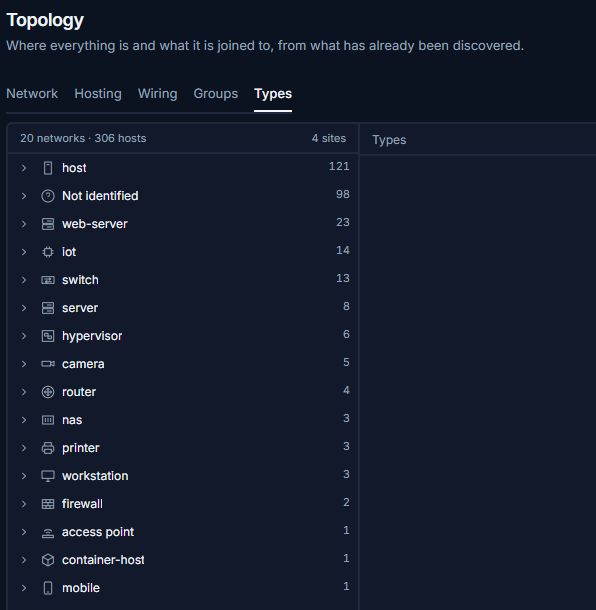
Explore how recorded networks and devices fit together. Move between views for address space, physical connections, and virtual workloads.
Trace where a workload lives
Start with a subnet, then inspect the infrastructure associated with a device in that range.
- Network viewLocate the subnet under its parent network and review its gateway.
- Hosting viewInspect a Proxmox host and its guests or a Docker host and its containers.
- Wiring viewReview the recorded ports on a switch that reports through SNMP.
What you can do
Network and gateway views
Drill from a site into its parent networks, child subnets, and hosts.
Virtual and container inventory
Use Proxmox integration and Docker inventory data to see what runs on each participating host.
Switch-port detail
Inspect physical connections where switch observations are available.
Shareable views
Copy the URL to reopen the same view and selection for another operator with access to the instance.